Neofur Vr Interaction Motioncontrolers
i saw a video part about interacting with fur. with motioncontrolers cant seems to understand which part of asset does that and what it requres in my project to work. is there a video planed specific about that?
or is is it easy to point directions, havinga hard time with touch controlers in general, sich i cant programm;)
kind regards
Daniel

found it! thanks, script was on demo scene folder already, thanks! almost gotmit to work!

how to assign multiple neofur components to skeletal mesh with material slots ?
Hi,
I have a skeletal mesh that is segmented to receive multiple materials and I would like to add differnet Neofur components to each one of them. I read here that it is possible but I can't find a step by step how to do it. Could you please provide me some guidance.
Thanks
These are the material slots I have on this asset:
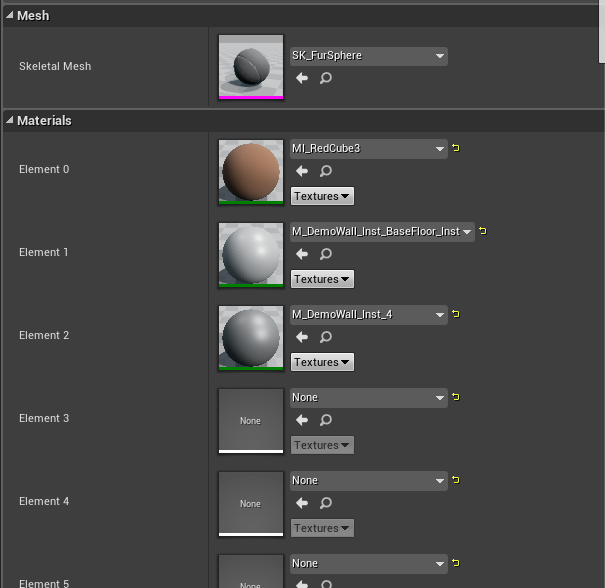
Assuming you want NeoFur for all of your material slots, you would have 4 NeoFur components attached to the object and then you would have 4 separate NeoFur Assets in the asset database that you reference from the NeoFur component. Then one of the NeoFur assets would have a Material ID set to 0, another to 1, 2, and finally 3. And then just have the "Growth Static Mesh" or "Growth Skeletal Mesh" point to the same mesh object which, in your case, is your "Adult_Female..." mesh.

Where is the Material from the Tutorial Video?
This video has a material example which is a lot different than any of the provided materials -

Is that material available anywhere? The Mobile material has a "growth" slot but not most of the other parameters and the Optimized does not have a growth slot and neither does Complex. I know enough to make my own material variant from scratch...but if I'm missing something and this thing exists somewhere I'd like to know.

Fur Not Working Correctly
Hello, I'm relatively new to working in UE4 and I'm having trouble setting up Neofur in my project. I can't seem to get the fur to look like fur on a complicated object. There are no strands and the texture looks like scales. I might have not clicked a check box or something but I have no idea where to look.
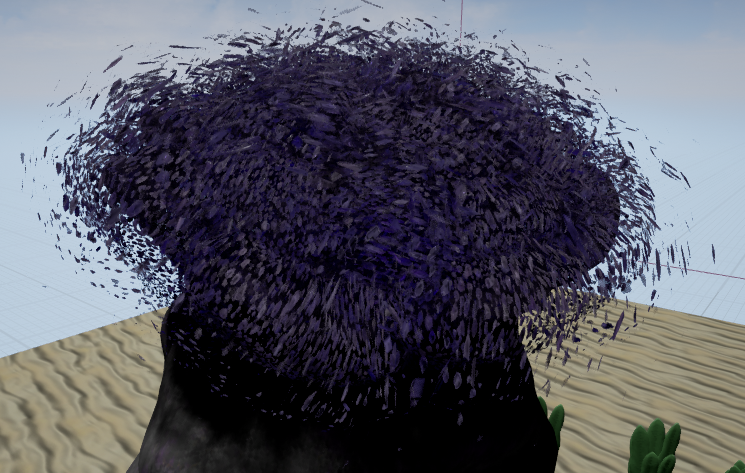
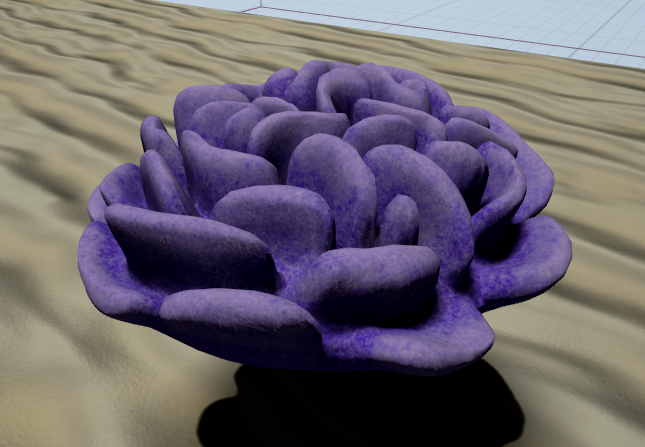
That is how the object looks with neofur, and below is how the object is supposed to look. I'm just looking to make it look fuzzy, like the caterpillar in the neofur trailer.

Flickering Issues If the bounds of your skeletal mesh are unspecified or invalid, this could cause your fur component to flash in and out of visibility.This is a common issue, and can be fixed in a number of ways.Try making certain your skeletal mesh has a physics setup with capsules for all major bones.Try artificially increasing the "bounds scale" of your skeletal component via the options. (not recommended for production)

 Bug: NeoFur Asset Growth Mesh/Morph Target reseting
I'm using my morph target in my growth mesh to drive fur firection. The problem is that sometimes the fur resets for no apparent reason and I have to simply reassign the skeletal growth mesh to the fur asset by dragging and dropping and it corrects itself. The fur assets is already reading this skeletal mesh with the proper naming of the morph target, so it's strange that it has to randomly be reassigned... Is this a known bug?

UE4 - Fur on Characters
Hey there,
I have 12 characters that I would like to have different fur on. So I 'd like to get the first one right.
I followed your tutorial about the fur on the bear (most impressive, thank you). The results I got were not so great though. It ended with two characters, the original placed one and the shell one, who was positioned above the original character and at right angles to. Why two characters?
I'd like to be able to control these characters (thirdPersonMesh) also,
Could you help, please?

neofur asset isn't render on android (VR)
Hello everybody !
I make some tests UE4 and cardboard VR on a cheap android device.
I manage to do somethings but when I try to put a neofur asset in my scene, there's nothing...
In editor, everything is OK.
I have to package my "game" (it's not a game yet at all ^^) for android ETC1.I try to use the mobile material on other asset and I can see it. It's the neofur asset that is not anymore in my scene.
Have you any advice ?

Have you tried disabling compute shaders by forcing CPU mode? This is the most likely culprit. You'll find it under the debug menu in your fur component.
Morph target from 3ds Max
I’m currently trying to integrate fur growth to my character only in certain areas. Similar to what your tutorial in the video attached demonstrates. However, I can’t really follow how the rigged mesh at 7:44 in the video is created. If I try to delete mesh triangles , in order to only have a morph target mesh. The skeleton and the mesh are no longer linked. I would be very helpful if you could walk us through those steps, I’m sure am I’m not the only can benefit from this.
G
Hey there!
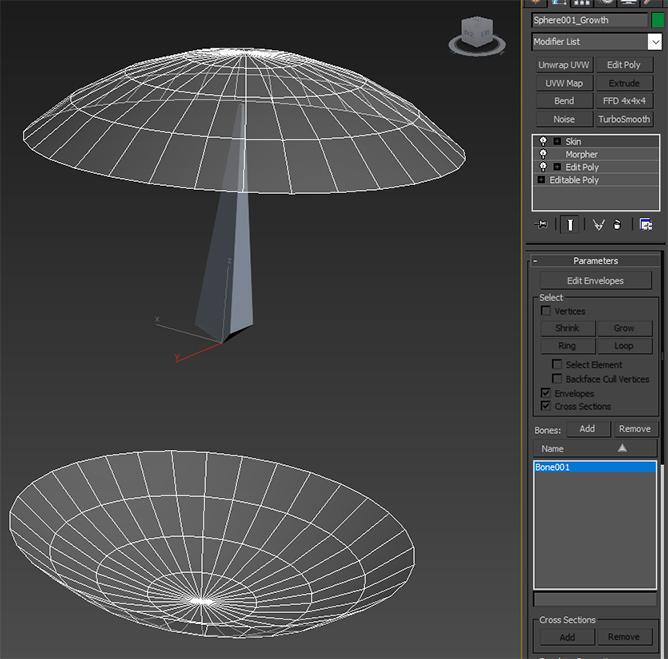
The easiest way to create a modified growth mesh is to make a duplicate of your skinned mesh in 3ds Max. You can modify this duplicated mesh through an Edit Poly/Mesh modifier, which should retain any skin/rig bindings. My guess is that the way in which you're modifying the mesh is causing the skin/rig binding to be lost, which will cause the skeleton and mesh to no longer be 'linked', as you describe.
As an example for you, I set up this simple skinned sphere as a base mesh. The mesh and modifier stack look like this:
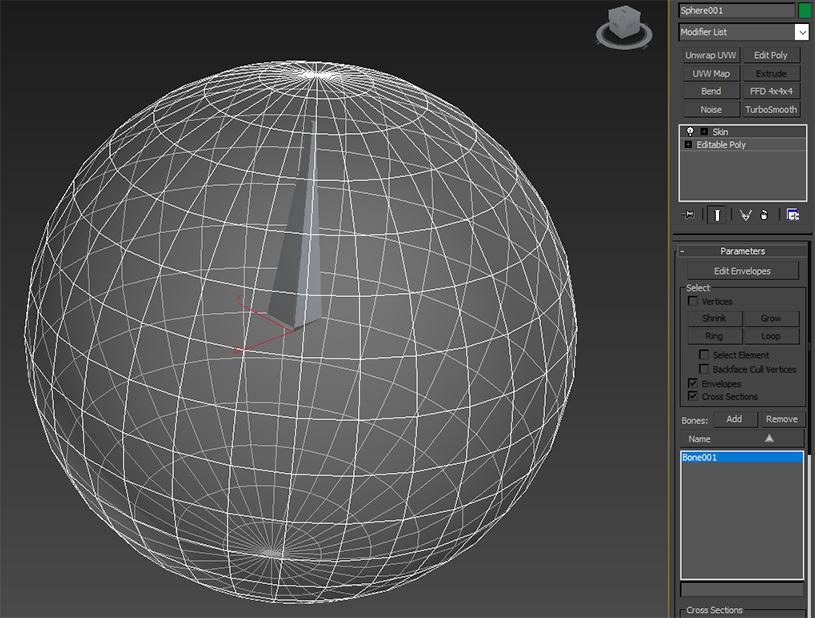
To create the growth mesh, I duplicated the skinned sphere object. Using an Edit Poly modifier, I deleted the middle portion of the sphere. I created my morph targets by using a copy of this modified growth mesh, and then set up the Morpher modifier. I'm making sure that any modifiers I add are beneath the Skin modifier in the stack. After doing all of that, the mesh and modifier stack now looks like this:
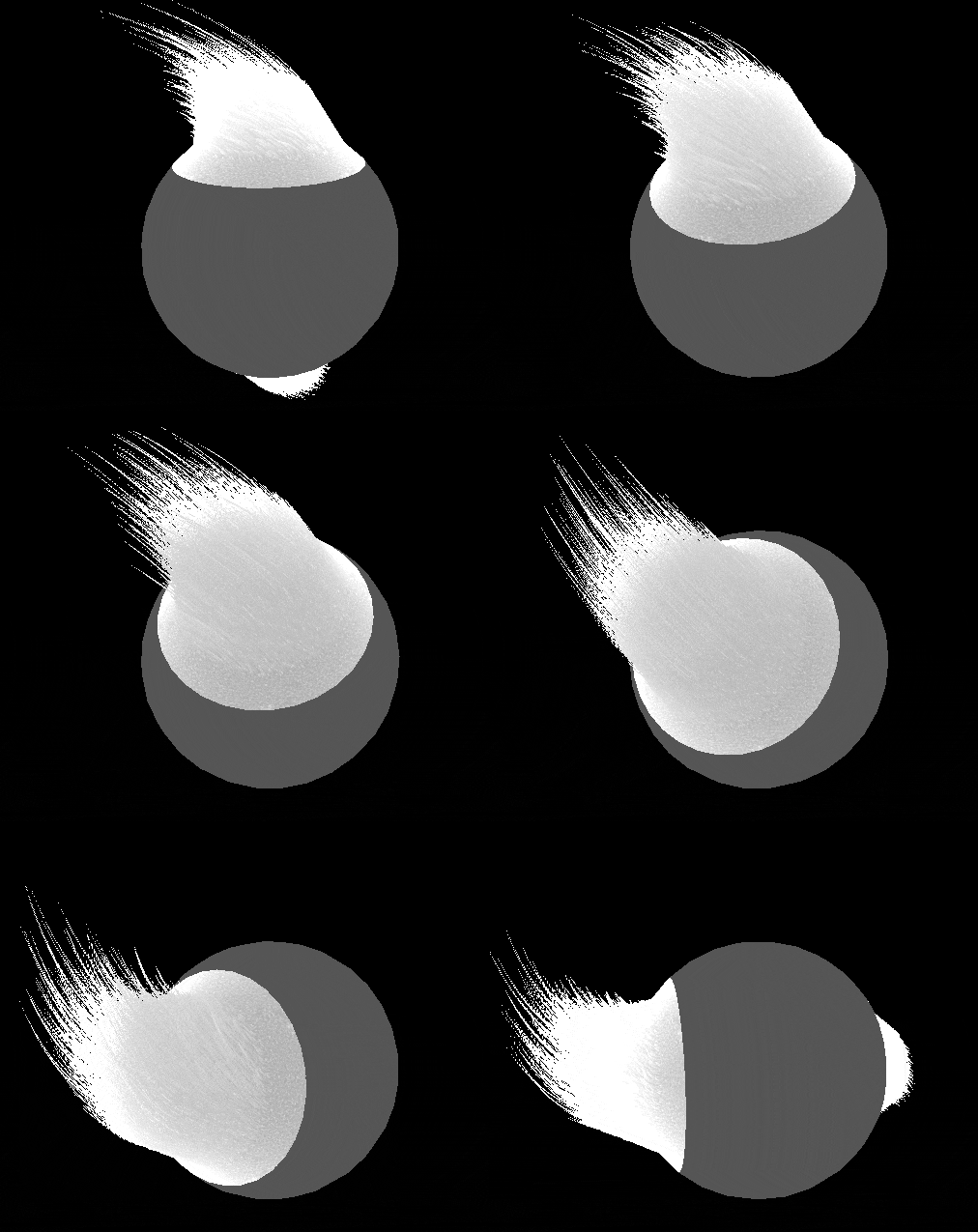
Once I set the appropriate growth mesh and morph target name in the NeoFurAsset, my object appears as expected - fur growth only occurs in the area defined by the growth mesh, and the movement of the growth mesh (and fur) matches the movement of the animated base mesh:
I hope this example is useful - please let me know if I misunderstood the issue you're experiencing or if you're continuing to have problems, so we can assist you further!
-Spencer

Neofur 4.13 OSX Animals 1 sample content crashes UE4
Not sure what else to say. UE 4.13.2 on OSX, the latest plugin Neofur Indie 383, trying to load and preview the Neofur Animals 1 content package I just bought and it all crashes. Can't even load the maps on their own to attempt a rebuild of the lighting or shader recompile, engine simply crashes.
how to import purchased material pack into existing project?
As the title says, I have purchased the scifi material pack but I don't see a documentation as to how to import those material into an existing project.
We were in the process of writing the article in it and you were a little too fast for us.
Here's the article, please let us know if it helps:
http://support.neoglyphic.com/topics/106-using-material-packs-for-unreal/
Customer support service by UserEcho