NeoFur for UE4.16
Concerning " we will aim to remain compatible with new engine versions during this time." Unreal Engine 4.16 has been out for a week now. This is the first nrew engine release sine the unavailability announcement of NeoFur and moving on to new things. UE4.16 has been out for about a week now. Is a NeoFur compatibility update in the works?

Will we ever know what's going on or what happened?
Neofur had such promise, I can't be the only one who wants to know what's happening or what happened.

 Please update the NeoFur source code to reflect the latest version of Neofur (Unable to compile plugin for UE 4.15)
As mentioned in this post http://support.neoglyphic.com/topics/165-issues-packaging-unreal-415-personal-license-and-building-from-source/ the source code is older than version 404, and makes it useless when compiling for an 4.15 of UE. Please update the source code.

Can't compile PRO with custom engine 4.15
Hello, I have problem with compiling PRO version with custom engine. I did this:
1) downloaded UE source code
2) switched UE source to tag "4.15.0-release"
3) executed Setup.bat
4) executed GenerateProjectFiles.bat
5) openned UE4.sln (it opens visual studio)
6) in solution explorer -> right click on "Engine->UE4" and "Build" (build version is "Development editor, Win64")
7) UE was compiled (it took ages)
8) openned newly compliled custom UE editor
9) created blank project (table with chair)
10) added blank c++ class (it automatically compiled something)
11) saved and exited editor
12) copied current Neofur into "YourProject/Plugins/Neoglyphic/NeoFur"
13) reopenned project and nothing happened (here is fault in manual http://support.neoglyphic.com/topics/15-compiling-from-source/ because you have to manually enable that plugin)
14) enabled Neofur plugin in menu > plugins (UE wants restart)
15) after UE restarts, this appeared:
16) clicked "Yes"
17) project was compiled in UE popup window
18) and ended with this:
In log:
http://pastebin.com/L0K5pCtn
Any advice?

Maya Xgen to Neofur Unreal Problem
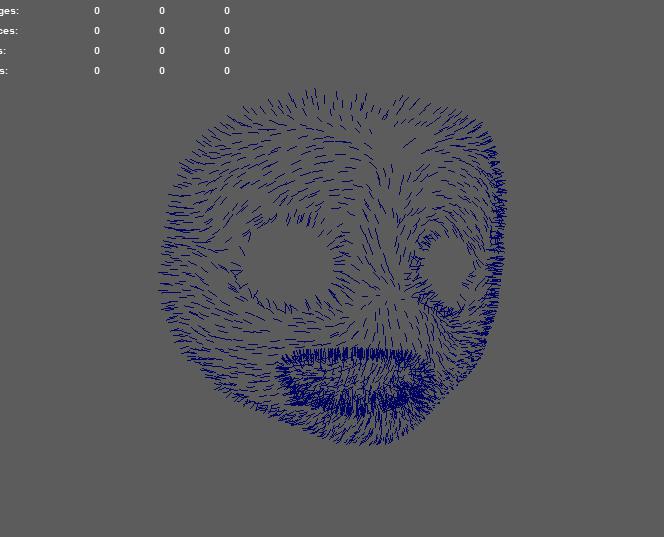
Hello, Im creating my fur splines in Xgen and exporting as an fbx. When I use it as a Spline Path, the fur no longer has correct fur direction. Also, when I check Draw Splines, they do not show up. I have gotten it to work with splines from 3ds max though and have seen the splines in Unreal.

Is there a way to upgrade neofur plugin to 4.17 or above?
Hi I would like to upgrade the plugin to 4.17 or above are there any documentation as to how to go about doing this?
Thanks!

Error with volumetric perVertex settings
Error from NeoFur 2.1 for Unreal marketplace listing:
After enabling this plugin in 4.13.2, Ocean shadder in Water Materials asset seemed to stop working, giving this error: Error [SM5] BasePassVertexShader.usf(127,42-125): error X3017: 'VertexFactoryGetPositionForVertexLighting': cannot convert from 'struct FVertexFactoryInput' to 'struct FVertexFactoryInput_Original'
https://www.unrealengine.com/marketplace/water-materials
The Lighting Mode volumetric perVertex settings seem to get broken.
Build Error: "C1083 Cannot open include file: 'fbxsdk.h': No such file or directory"
MK

 Top Picks: Best Text Message Marketing Services for Your Business in 2023
In today's fast-paced business environment, staying connected with your customers through effective communication channels is vital. Text message marketing has emerged as a powerful tool, especially in regions like the UAE, where mobile usage is extensively high. In this blog, we will explore some of the best text message marketing services that can help elevate your business communication in 2023.
1. Choosing a Bulk SMS Service Provider in UAE
The first step in leveraging text message marketing is selecting a reliable bulk SMS service provider UAE. A good provider offers not just a platform for sending messages but also ensures high deliverability, user-friendly interfaces, and comprehensive customer support. Look for services that offer scalable solutions to accommodate your growing business needs.
2. The Benefits of SMS Campaign Databases
Utilizing an SMS campaign database can significantly enhance your marketing strategy. By understanding your audience and tailoring your messages accordingly, you can increase engagement and conversion rates. In the UAE, where the market is diverse and dynamic, having access to a well-segmented SMS campaign database is a game-changer for businesses aiming to target specific demographics effectively.
3. Identifying the Best Text Message Marketing Services
When searching for the best text message marketing services, consider factors like ease of integration, analytics capabilities, and compliance with local regulations. The ideal service should offer a balance of functionality and user-friendliness, enabling you to create impactful campaigns with ease.
4. Innovative Features to Look For
Modern text message marketing services are equipped with innovative features like automation, personalized messaging, and detailed analytics. These features allow for more targeted campaigns, better customer engagement, and insightful data to refine your marketing strategies continually.
5. Making the Right Choice for Your Business
Choosing the best text message marketing service requires careful consideration of your business needs, budget, and marketing goals. Whether you're a small startup or a large corporation, the right service can make a significant difference in how you connect with your audience.
Conclusion
As we move through 2023, the significance of effective communication channels like text message marketing continues to grow. For businesses in the UAE, selecting the right service from a range of bulk SMS service providers and utilizing a robust SMS campaign database uae can lead to unprecedented growth and customer engagement. Remember, the key to successful text message marketing lies in choosing a service that aligns perfectly with your business objectives.
Issues packaging unreal 4.15 personal license and building from source
Hi,
I'm trying to package my project since my school project is a multiplayer VR, I have to package it for LAN to work but every time it gives me Error Unknown error
LogRenderer: Reallocating scene render targets to support 1208x380 NumSamples 1 (Frame:2).
When trying to build the project with Neofur Source I followed this instruction http://neoglyphic.userecho.com/topics/15-compiling-from-source/
I get projectName could not be compiled. Try to rebuild from source manually
I have followed this instructions
Any help is appreciated
Customer support service by UserEcho